 For IT departments without a big budget or ones looking to save money, there are a lot of web-based or free desktop alternatives to expensive commercial software such as Microsoft Office. Many of these are as good as or in some cases better than the more expensive software.
These are primarily desktop based software, but there are a lot more online alternatives to Microsoft Office. As SaaS (Software as a Service) grows we can expect to see more powerful alternatives in the future.
1. Document Editing and Management (alternative to Microsoft Office)
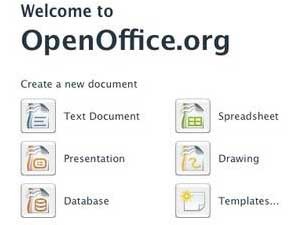 OpenOffice Suite includes Writer a word processor alternative to Microsoft Word, Calc a spreadsheet alternative to Microsoft Excel, Impress and Draw are presentation and drawing tools alternatives to Microsoft PowerPoint and Base is a database alternative to Microsoft Access.
The current OpenOffice.org 3.0 has versions for Microsoft Windows 2000, Windows XP, Windows Vista, Solaris, Linux, Mac OS X and Java.
For more information visit the OpenOffice.org web site.
Other alternatives include Google Docs and Zoho Office
2. Project Management Software (alternative to Microsoft Project)
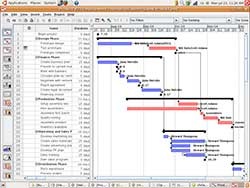 OpenProj is a free, open source project management solution and a direct replacement for Microsoft Project. OpenProj is ideal for desktop project management and is available on Linux, Unix, Mac or Windows.
It even opens existing Microsoft or Primavera files. OpenProj shares the industry’s most advanced scheduling engine with Project-ON-Demand and provides Gantt Charts, Network Diagrams (PERT Charts), WBS and RBS charts, Earned Value costing and more.
For more information visit the OpenProj web site. Also look at Gantt Project, a free and easy to use Gantt chart based project scheduling and management tool at the Gantt Project web site.
3. Email and Calendar Software (alternative to Microsoft Outlook)
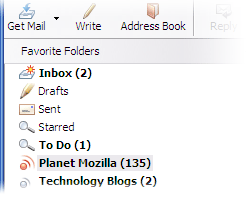 Mozilla Thunderbird with the Lightning or Sunbird calendar add-on is a free alternative to Microsoft Outlook email and calendar software. Thunderbird offers POP3 and IMAP support, filters out junk mail, sorts incoming messages using rules, spell checks (VITAL!), phishing protection and RSS feed support.
Use the Lightning Calendar add-on if..
- you send or receive meeting invitations via email
- you already use Mozilla Thunderbird for email
- you customize your applications with add-ons (such as extensions or themes)
Use the Sunbird Calendar add-on if…
- you prefer your calendar to be separate from your email client
- you don’t currently use Mozilla Thunderbird for your email
- you don’t like adding add-ons (such as extensions or themes) to your applications
For more information visit the Thunderbird and Lightning/Sunbird web sites. Online alternatives include Gmail and Google Calendar.
4. Notebook Software (alternative to Microsoft OneNote)
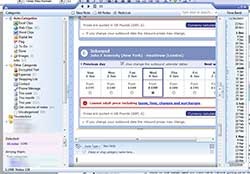 Winner of the 2008 Open Web Blogger’s and People’s Choice Awards, Evernote definitely deserves all the hype it’s been getting. Evernote allows you to capture information in any environment, then organize and search it. Create tasks, to-dos, notes, research, capture web pages, create white boards, pictures, and more.
Evernote comes in desktop, web and mobile version such as the iPhone, Windows Mobile and U3 USB drives. Evernote is available for Windows, Mac and the web version with any platform. With the recently announced demise of Google Notebook, Evernote now has an import tool!
For more information visit the Evernote web site.
5. Diagram Creation Software (alternative to Microsoft Visio)
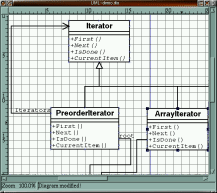 I will grant you there are not a lot good free alternatives to Microsoft Visio. Not everyone has a use for Visio, but IT departments in particular use it. Dia is a open source alternative worth looking at. It can be used to draw many different kinds of diagrams. It currently has special objects to help draw entity relationship diagrams, UML diagrams, flowcharts, network diagrams, and many other diagrams.
OpenOffice Draw mentioned above may meet your needs as well.
For more information visit the Dia web site.
Ioan Lucian says
Hello,
RationalPlan Project Viewer it’s also a free project management software viewer.
You can download it at: http://www.RationalPlan.com/download.php
It gives you the possibility to import MSProject files and to view them also for free.
More info at: http://www.RationalPlan.com
Ioan Lucian
Sam says
Thank you for the information. Correct me if I am wrong. The project viewer is free, but there is a cost for the RationalPlan project management software. Still the cost is MUCH less than Microsoft Project. I was looking for no cost alternatives, but in the future will do lower cost alternatives and will keep this in mind.
Thanks,
Sam
Ioan Lucian says
Hello Sam,
It’s true.
From RationalPlan Suite, only Project Viewer it’s free … but not only for RationPlan Single/Multi version. You have the possibility to import MSProject files and to view them also for free.
Single/Multi version it’s free to try. If you have a little time to evaluate them, I will be glad to hear your opinion.
Thank you,
Ioan Lucian
Sam says
John, thanks for the tip. I particularly liked the Intervals story. It is nice to see a group take an idea, apply lots of hard work and turn it into a success.
Proworkflow says
Always knew that SugarCRM led the way but never thought there’s a lot more that’s open-sourced based which means more options for companies, too. For those in need of web-based (SaaS) and open sourced CRM, you may also want to check out On-demand CRM at MorphExchange.com. It’s surprisingly fast and powered by Sugar. Thanks.
Vanja says
I prefer to use SSuite Office for a free office suite. Their software also don’t need to run on Java or .NET, like so many open source office suites, so it makes their applications very small and efficient.
http://www.ssuitesoft.com
Adel K says
ProjeLead is a web based Project Management software. The standard version is open source and offers several intersting features : share documents, forums etc…
Check out and leave a feedback to the team.
Thanks and keep the great job !
Sam says
Thanks for the tip. It’s nice to see another viable open source alternative to Microsoft Project.
DrK says
OpenOffice is more than an alternative–it is in many ways superior to Microsoft Office, and offers a tremendous amount of flexibility both for use as an office suite, as a platform for new products, and/or as components in some other solution.
Besides Dia, don’t forget that OOo (and derivatives, see below) includes a Draw program. Don’t forget Inkscape (http://inkscape.org/) and GIMP (www.gimp.org GIMP is more a Photoshop replacement than a Viseo replacement). For those in more technical fields, look at the Eclipse based UML and associated tools (http://www.eclipse.org/modeling/mdt/?project=uml2)
PortableApps carries Dia, GIMP, OOo, and Inkscape (Windows only, but still handy to always have on a USB flash drive or SD card).
Because of the rather poor track record of Oracle, who took over Sun, there is a good deal of concern about the future of OpenOffice. Many of the principle developers are continuing to work on it, but as part of the LibreOffice suite, which is now under the Document Foundation (documentfoundation.org). The three main supporters of OpenOffice all have used different derivatives (Sun (now Oracle) had StarOffice (now Oracle Office), IBM used the components in an Eclipse wrapper for Lotus Symphony, Novel has supported and distributes go-oo. All of these are based on the core OpenOffice code, which are customized to support proprietary (which the various vendors have license to use) features, provide a different user experience, etc. See http://wiki.services.openoffice.org/wiki/OpenOffice.org_Solutions for a list of various other customizations and options for use of OpenOffice. Go-oo is now collaborating with Libre Office. We will have to see what IBM and Novel do as time goes on. The good news is that these are all compatible with each other, and even plug-ins designed for one typically work with others.
This can be a bit confusing! If all you want is an office suite, just download LibreOffice. You can choose plug-ins/add-ons from OpenOffice site or the Document Foundation.
There is also some other helpful free open source software of high quality that works well with OpenOffice/etc. TreeLine (http://treeline.bellz.org/) is a very robust but easy to use application to create outlines and hierarchical/XML databases. FreeMind (http://freemind.sourceforge.net/wiki/index.php/Main_Page) and VYM (View Your Mind http://www.InSilmaril.de/vym) are nice mind-mapping tools. Finally, if you need a fully functional embedded database with full transactional support (ACID), it is simple to add the H2 database (http://www.h2database.com/) as a replacement for the lighter weight database engine distributed with OOo/LibreOffice. There are also several extensions for use with MySQL on the OOo page, if you need to step up to an enterprise class RDBMS.
Keep your eyes open for increasing integration with XML databases (such as eXist http://exist.sourceforge.net) and/or the Drools (aka JBoss rules) platform. Combined with semantic web approaches (http://www.semanticdesktop.org/) very elegant and powerful enterprise (and personal) document management, data extraction and data mining (perhaps using tools like Mondrian, RapidMiner, JasperReports, R, and/or Weka–all FOSS) and rule-based workflow. This will be a huge change for many, as the power of systems currently costing 5-6 figures becomes available for ‘free’ (you still need to invest in time, energy, people, training, just like you would with anything else). Much of this will happen first with OpenOffice/LibreOffice/etc. because #1 they are open source and easier to enhance, and #2 they use international standards internally (rather than Microsoft’s long-standing FUD technique of creating its own one-off but still mostly XML Windows-only pseudo-standards).
Sam says
Thanks for the insight and the list of open source software.
Dave says
This is a good list of free alternatives. Let me add one to the list as an alternative to Visio.
LucidChart (http://www.lucidchart.com) is web-based which makes it particularly appealing for teams as it supports real-time collaboration.
Luis says
Wow, Lucidchart is much more performant than anything else I’ve tried online. The Visio editor capability is especially important to me as I have dozens (hundreds?) of Visio files created over the last few years that I may still need to edit from time to time.
I’ll try the free version that Lucidchart offers and see how it goes.
Nishadha says
Another good alternative to Microsoft Visio is Creately ( http://creately.com/visio-alternative-online ) . It has hundreds more templates than Microsoft and have some cool features like real-time collaboration. Also I like the fact that they offer a desktop version that works on Windows, Linux and Mac.
Tommy says
Good point. Here is another great online visio alternative.
http://posguide.com says
Open Office is the most complete piece of softweare. I used about 3 years , and i am pleased with the results