
Overwhelmed by trying to organize your email? Xobni offers a new way to organize and search your Outlook email. It creates profiles for each person that emails you. These profiles contain relationship statistics, contact information, social connections, threaded conversations, and shared attachments.
Xobni (inbox spelled backwards, pronounced zob-nee) is a free Outlook plug-in 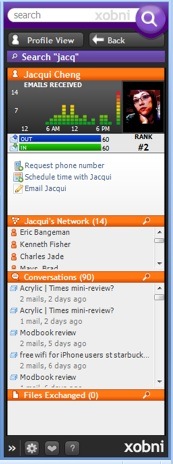 that adds some great features to the Outlook sidebar. Each Xobni profile contains:
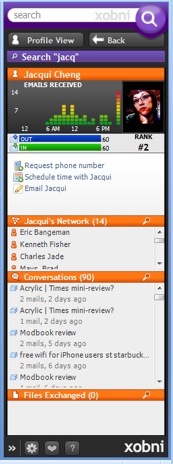
- Relationship statistics such as the number of emails to and from the contact as well as their overall rank. A profile picture can also be included.
- Xobni extracts and displays phone numbers in the sidebar. You can also add a phone number if it can not be extracted. Also included are selections to schedule a meeting or email the contact.
- Related people between you and the contact. This allows you to easily remember the common contacts you have.
- A threaded chronological list of recent emails to/from the contact (USEFUL!)
- A chronological list of exchanged file attachments (VERY USEFUL!)
- Useful statistics such as rankings and graphs that display the time of time you get emails from the contact.
Here is a video preview of Xobni features.
Xobni is a valuable tool to not only manage your email, but will make you more productive in Outlook. Try it out for yourself. I don’t think you will be disappointed. To find out more about Xobni visit the Xobni web site.